How to Write an ATS-Friendly CV (Without Keyword Stuffing)
A practical guide to ATS-friendly CV formatting: standard section headings, clean layouts, ATS-tested fonts and templates, and keyword matching without stuffing.
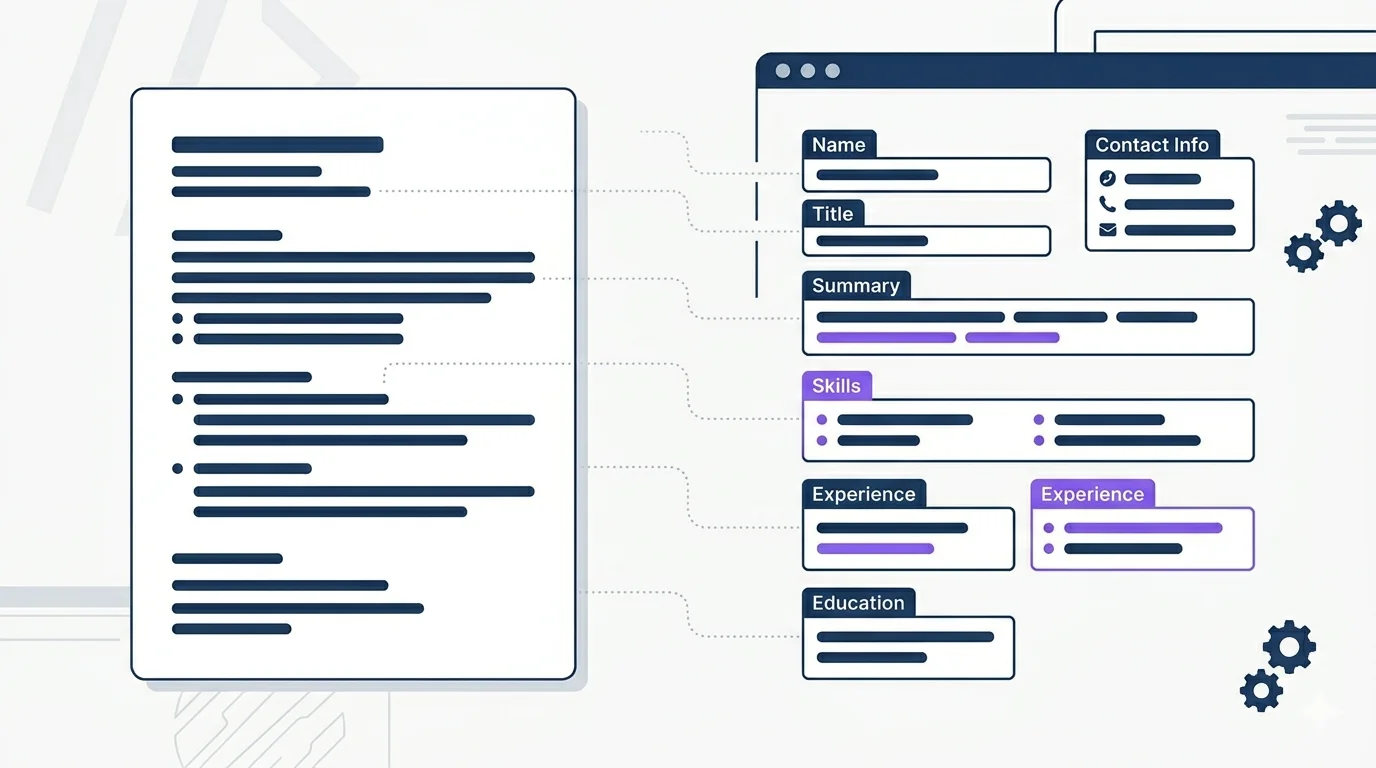
Why structure matters
An ATS-friendly CV is not about tricks. It is about clarity: consistent headings, standard sections, readable fonts, and a structure that tools (and humans) can follow.
The Checklist
Step-by-step workflow
- Start with a clean template and fill in real evidence.
- Tailor the top third (title, summary, first bullets) to the job.
- Make skills explicit only if you can back them up in experience bullets.
- Do one final scan for readability: spacing, headings, and consistency.
What ATS systems actually do
Most applicant tracking systems do one thing: store and index your CV so a recruiter can search it later. They parse text, tag it by field, and allow recruiters to search by keyword, title, or date range. They do not automatically reject candidates. A human still reviews shortlisted profiles, and many hiring teams run manual searches without using ranking at all. The real risk is simpler than people assume: if an ATS cannot extract your text cleanly, your CV does not appear in searches.
- Parse: the system reads your document and stores extracted text by field, including name, job titles, dates, employers, and skills.
- Index: your CV becomes searchable. A recruiter who types "SQL" or "senior project manager" gets results; non-standard formatting means your file may not appear.
- Rank: older systems score by keyword frequency; modern platforms (Greenhouse, Workday) use semantic matching that evaluates context, not just word counts. Either way, scores inform shortlists but a human makes the final decision.
- Route: matched profiles are flagged for recruiter review. A person then decides whether to proceed.
Common ATS mistakes and how to fix them
Fonts and sizes
Standard fonts parse reliably across every ATS. The choice is largely stylistic. Use 10-12 points for body text and 14-18 points for headings. ZVee ships with 10 ATS-tested fonts grouped by style:
- Sans-serif (modern, neutral, default for most industries): Open Sans, Lato, Roboto, Montserrat, Inter, Poppins, Raleway.
- Serif (classical, academic, formal): Merriweather, PT Serif, Libre Baskerville.
Why PDF is the safe choice
Modern ATS platforms read PDFs reliably as long as the text is selectable. Problems come from scans, exported images, and PDFs that embed text as vector graphics. Those look identical to humans but parse as empty for ATS. Use the plain-text sanity check earlier in this guide to confirm your file is parseable. ZVee always exports PDFs with embedded selectable text.
Choosing an ATS-friendly template
All ZVee templates are designed to be parsed correctly by modern ATS systems including Greenhouse, Workday, Lever, and Personio. We split them into two groups based on whether they also pass older legacy parsers like older Taleo and SAP SuccessFactors versions.
- Tier 1 (universal — also passes legacy ATS used at large enterprises and traditional industries): Professional, Academic, Chronicle, Executive, Contemporary. Choose these for banks, public-sector roles, and large corporations.
- Tier 2 (modern ATS — Greenhouse, Workday, Lever, Personio): Editorial, Frame, Horizon, Contrast, Minimal, Modern, Elegant, Technical, Creative. Choose these for tech, mid-sized companies, startups, and creative roles.