CV Builder
Create a professional, ATS-ready CV in minutes. Start from scratch or import your existing PDF or Word document to upgrade instantly.
Most CVs fail before a recruiter reads them. They are exported as images, built using tables, or formatted with multi-column layouts that applicant tracking systems cannot parse reliably. ATS software reads plain text, not design. The CV Builder uses a structured editor that keeps your content readable to both software and hiring managers, so the effort you put into your content actually counts when it reaches the first filter.
Benefits
Your CV stays consistent no matter how much content you add or rearrange.
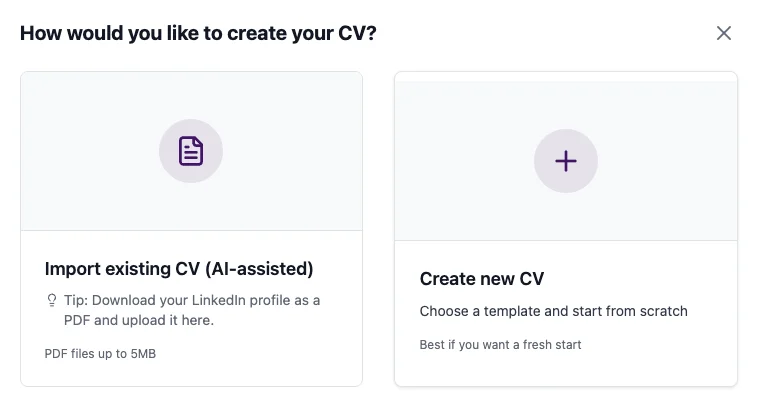
The import parser extracts your existing sections - experience, education, skills, and summary - so you can start editing rather than rebuilding from scratch.
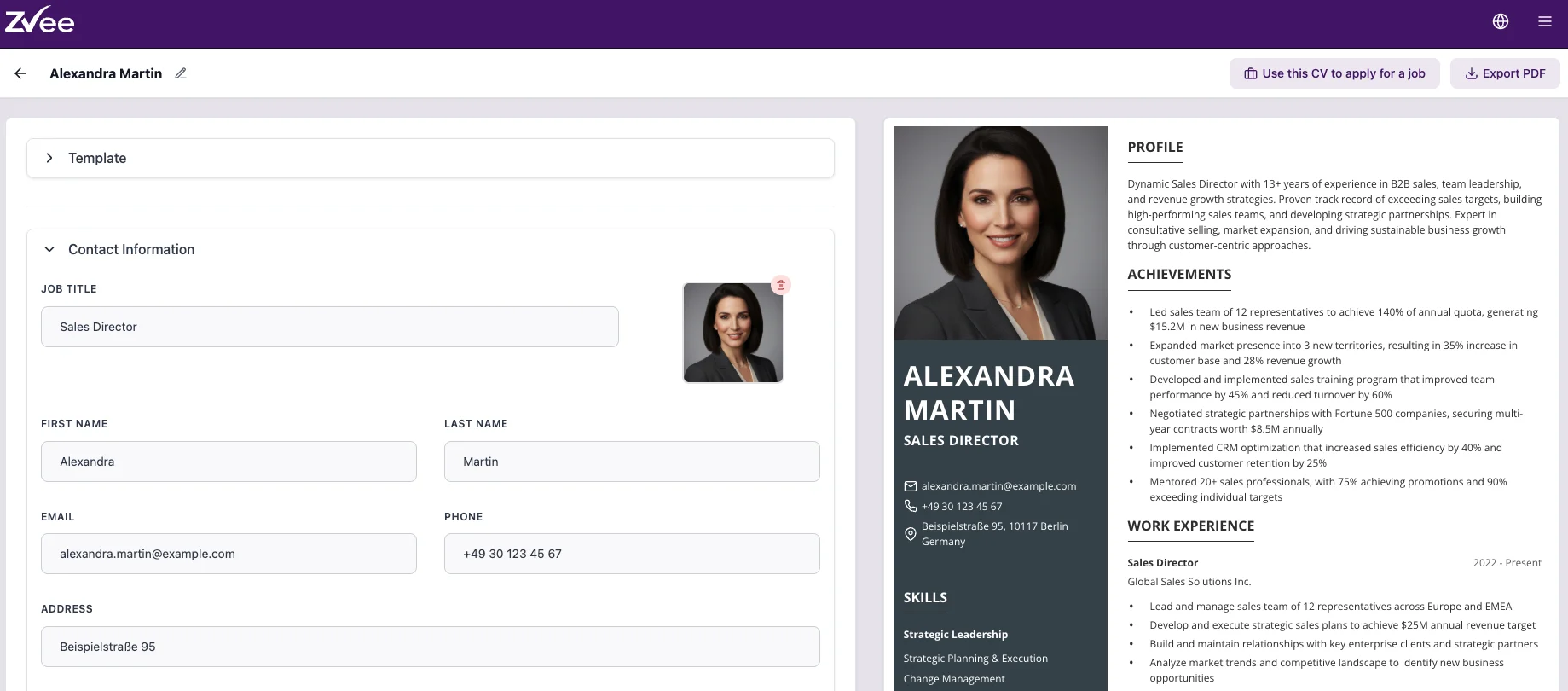
Changes appear in real time, so you never have to guess how the final PDF will look.
The templates handle the visual layer so your attention stays on what actually influences a recruiter.
How it works
The import parser extracts your sections so you can start editing immediately.
Each section has a dedicated editor where you can add, remove, and reorder entries.
Tailor the summary, skills, and key achievements to match the language and requirements of the job.
What you see in the preview is exactly what the recruiter and the ATS receive.
FAQs
Tips for best results
- Import your existing PDF or Word document first if you have one. Even if the parsing is imperfect in places, it gives you a structured starting point that is faster to edit than building from scratch.
- Use the live preview as your quality check throughout. If a section looks crowded or a heading is out of place, fix it in the editor before you export.
- Fill in the job title field in your profile section with the specific title of the role you are targeting. ATS systems weight title matches more heavily than most candidates expect.
- Try switching templates before you finalise. Your content travels with the template, so there is no rework involved. A different layout can significantly change how a recruiter perceives the same content.